Make the commitment clear.
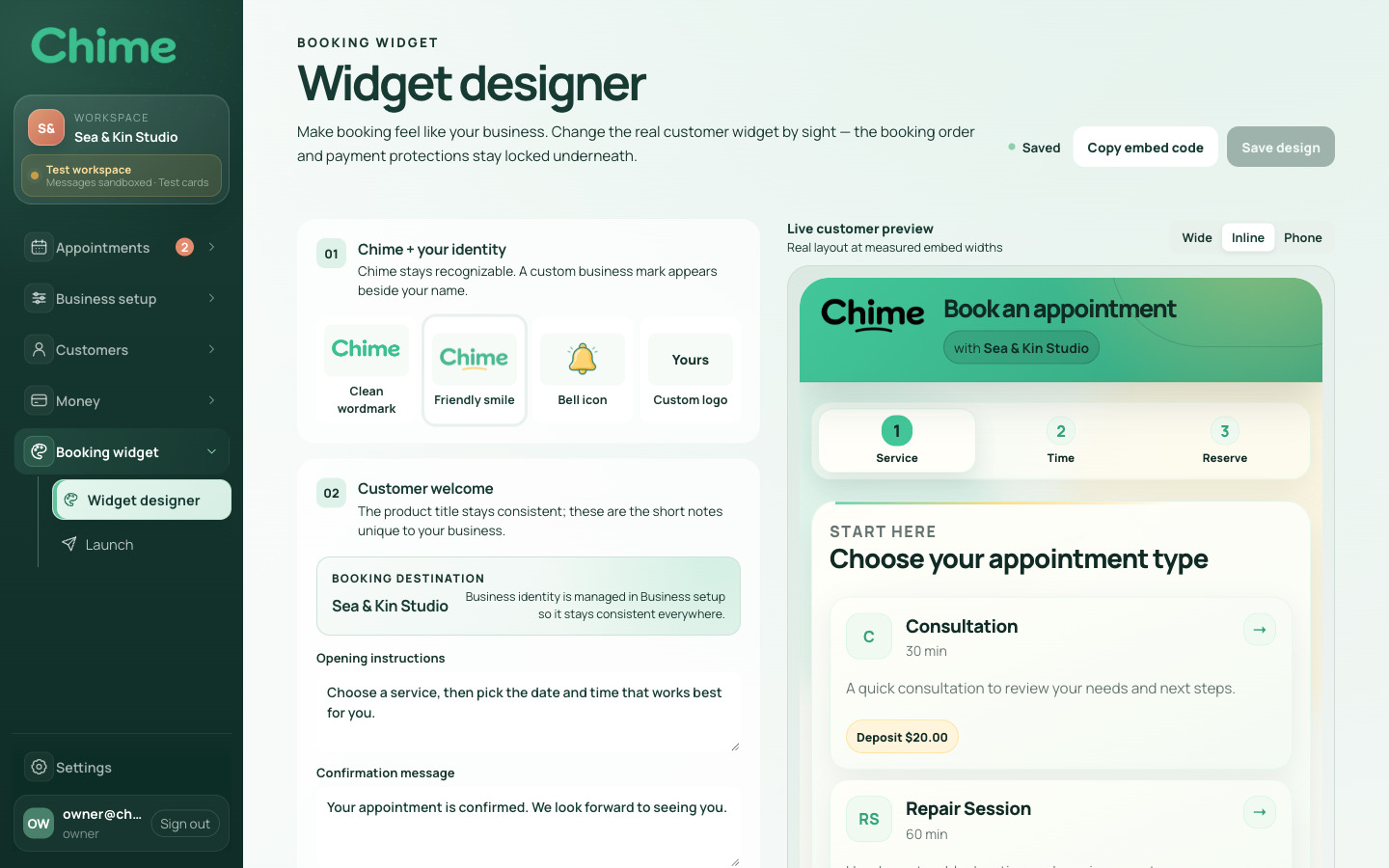
The service summary shows duration and price, with any required deposit shown separately. Customers can see what they are booking and what is due now.
Chime connects customer booking with the business’s schedule, deposits, and email. I built its booking flow and business workspace, Chime Studio, around one idea: an appointment should be easy to book and straightforward to manage.
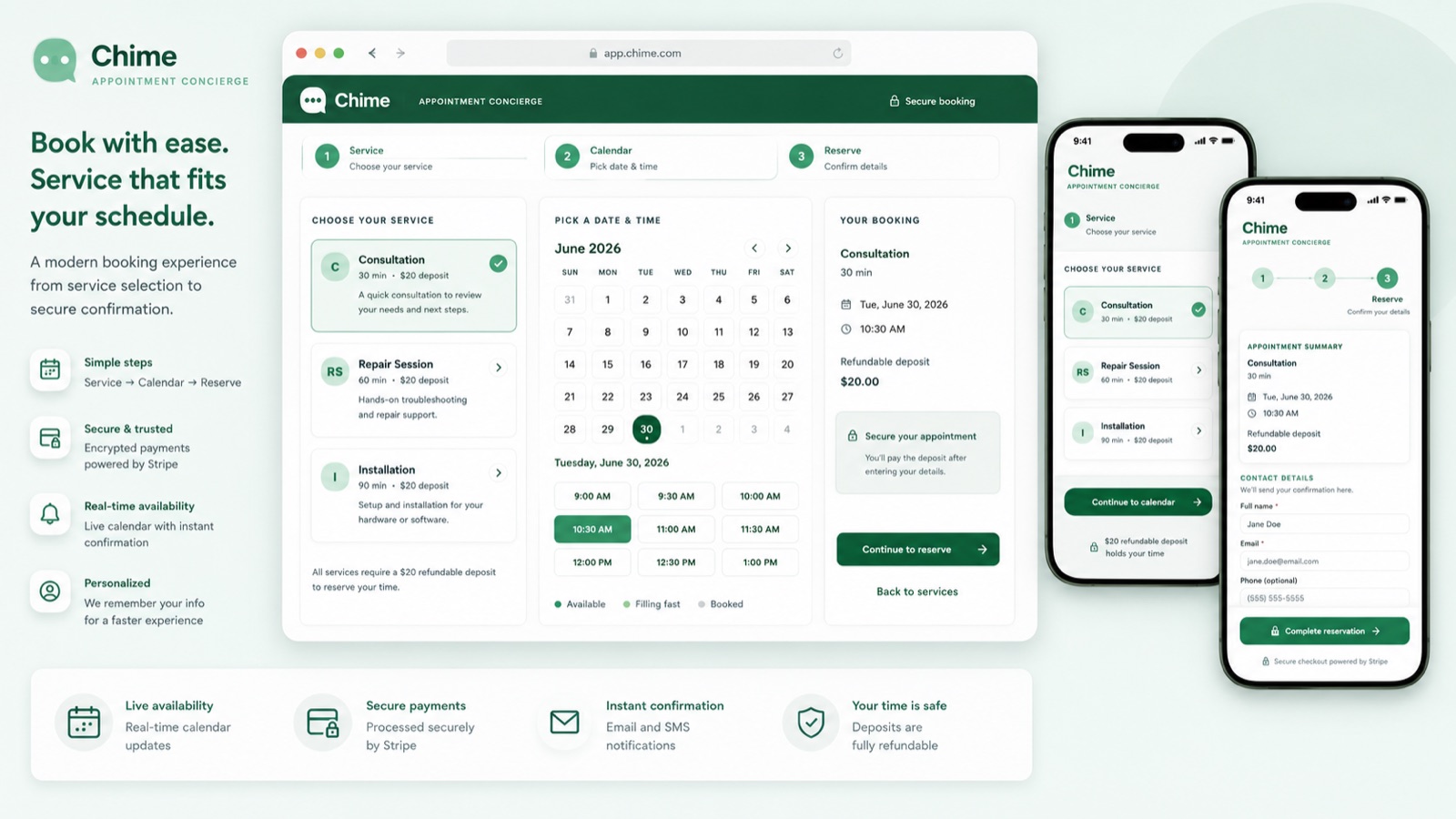
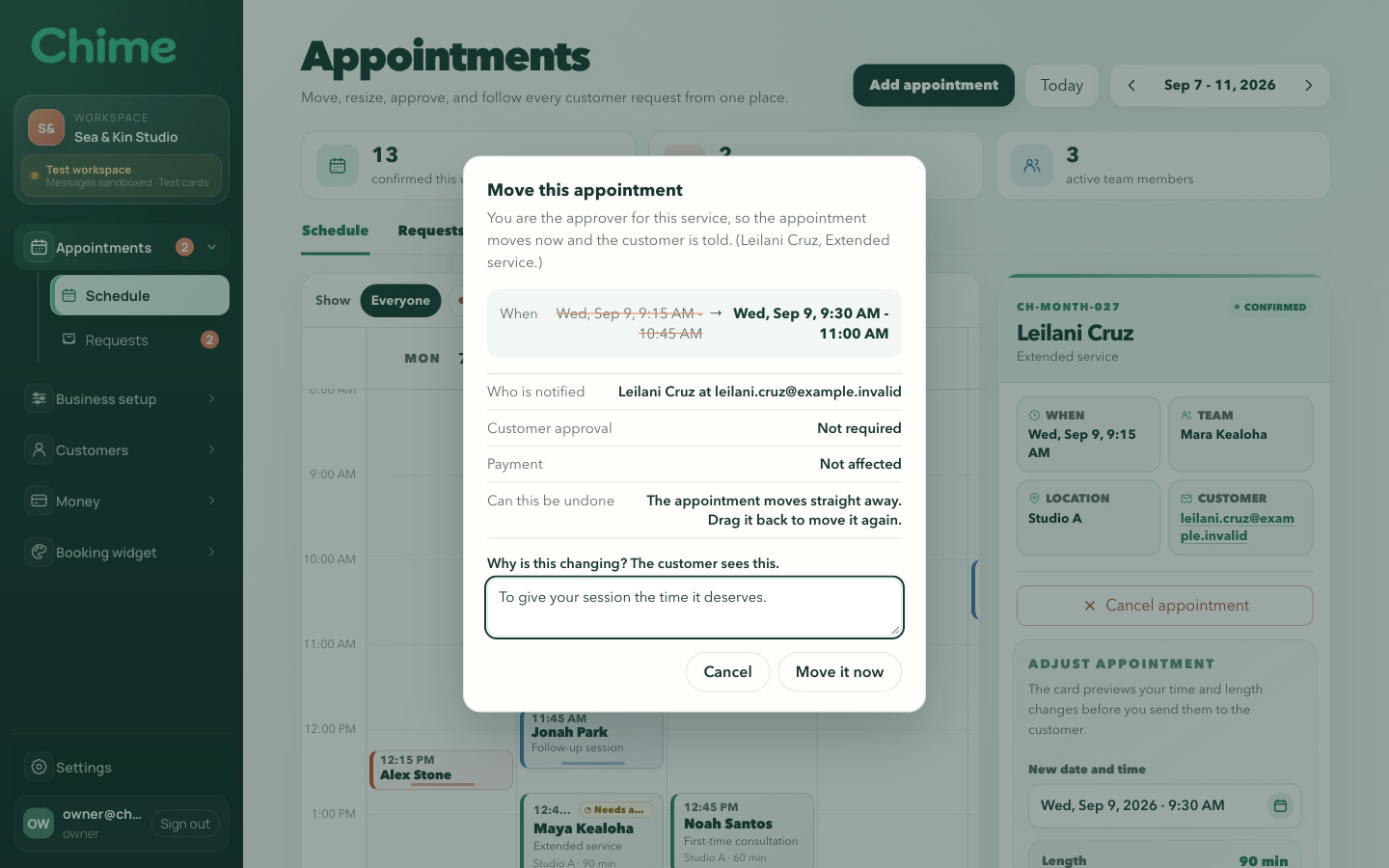
Find an appointment, review its details, and see how the studio handles a schedule change.
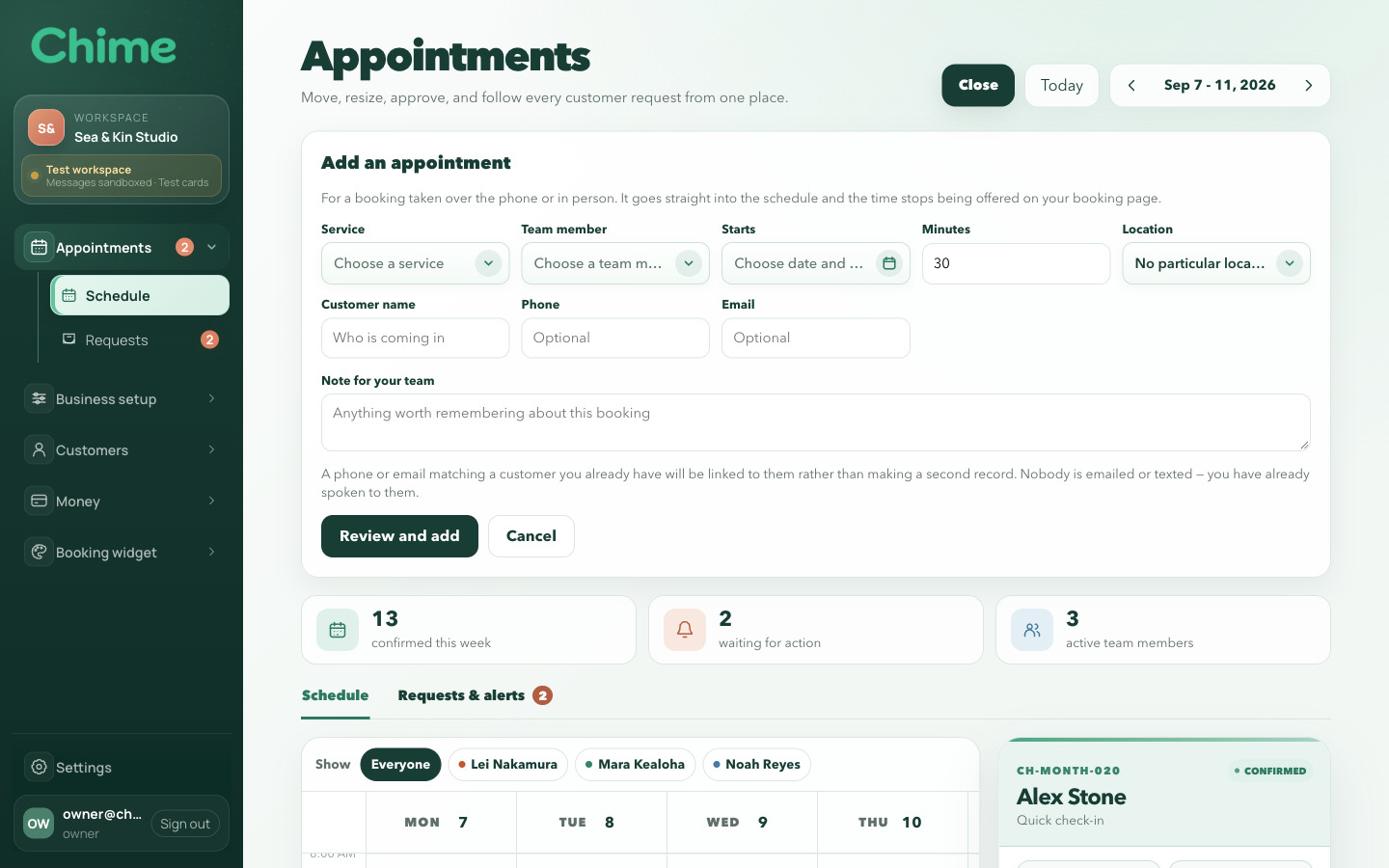
Start with the week’s appointments. Open one to see the customer, service, team member, and time together. Add an appointment from the calendar, then move an existing appointment and review the change before confirming it.
Choosing a time is only the beginning of making an appointment work.
An available time depends on more than an empty calendar. The business needs someone who performs the service, enough time to complete it, and room for any preparation or cleanup. A change to those conditions can change what a customer is able to book.
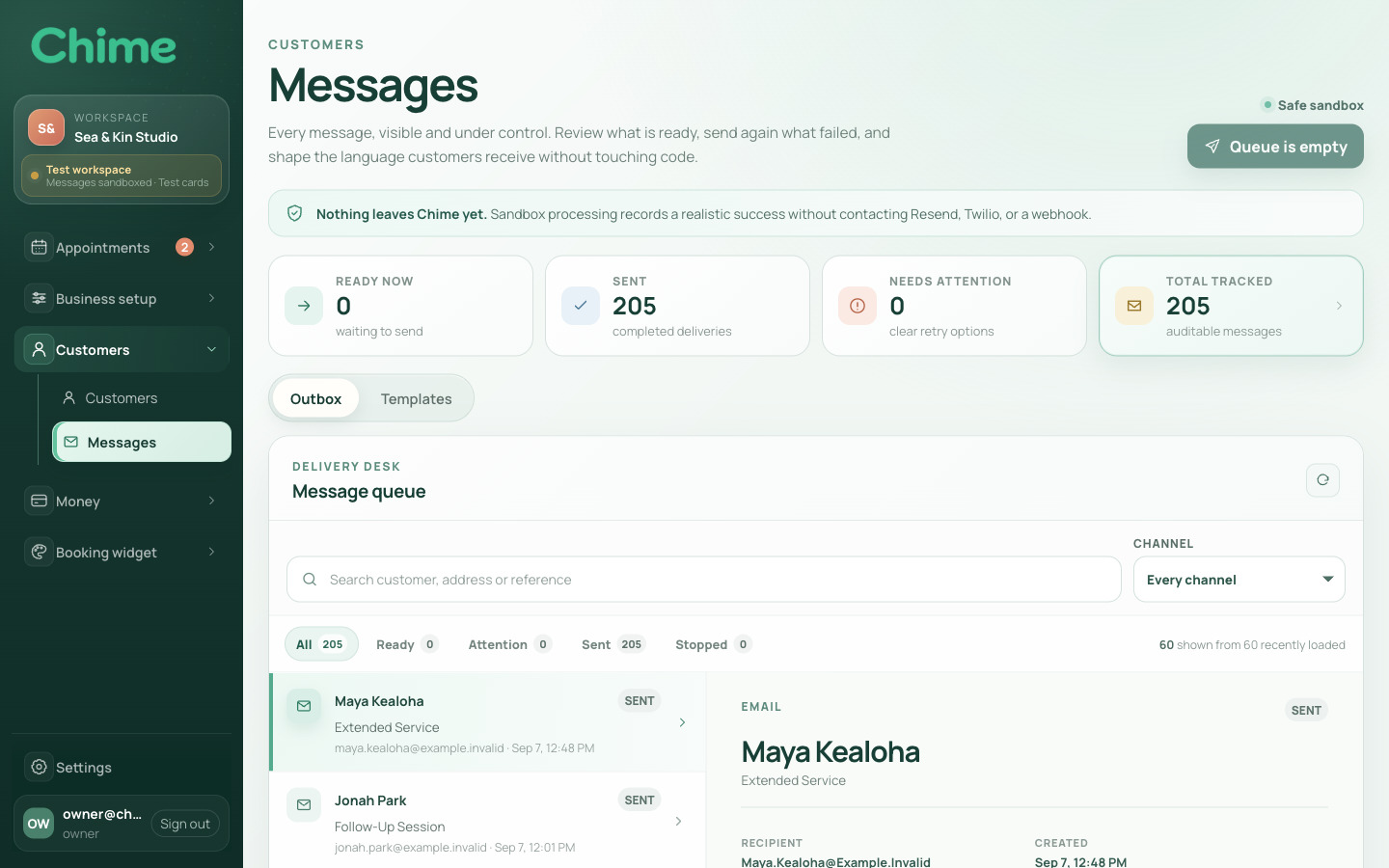
Chime gives customers and staff different views of the same appointment. The booking flow presents the choices needed to reserve a time. The studio brings together the schedule, customer record, payment history, and messages needed to manage it.
The design problem was deciding what belongs at each step. I kept the customer journey focused, while giving the team access to the underlying details when an appointment needs attention.
The service summary shows duration and price, with any required deposit shown separately. Customers can see what they are booking and what is due now.
A booking uses the business’s published availability. The server checks remaining capacity again before confirming the appointment.
The customer, appointment, payment, and messages remain linked, so staff can review the current situation before making a change.
The flow separates service selection from availability, then carries the chosen service, time, and price into the remaining steps. Customers can review the appointment as they complete the terms, contact details, and any required deposit.
If the time is no longer available when the customer submits, Chime asks them to choose another slot. Confirmation depends on that final check.
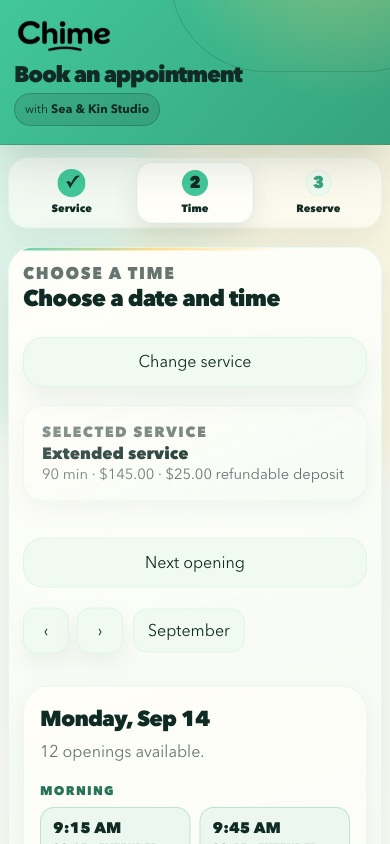
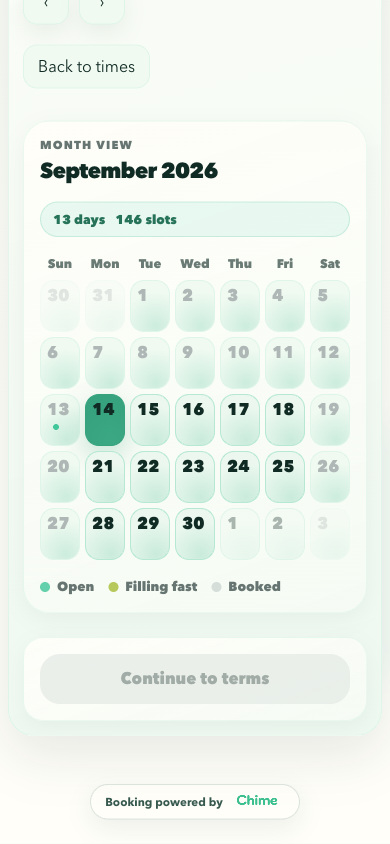
The studio keeps appointments in the context of the day. Staff can add a booking, review customer details, or move an appointment from the calendar. Changes have a review step; when customer approval is required, the original time stays in place while the proposal is pending.
The booking flow is part of the business’s customer experience. I put its branding and wording controls in the studio, beside a preview, so staff can see how a change will appear before saving it.
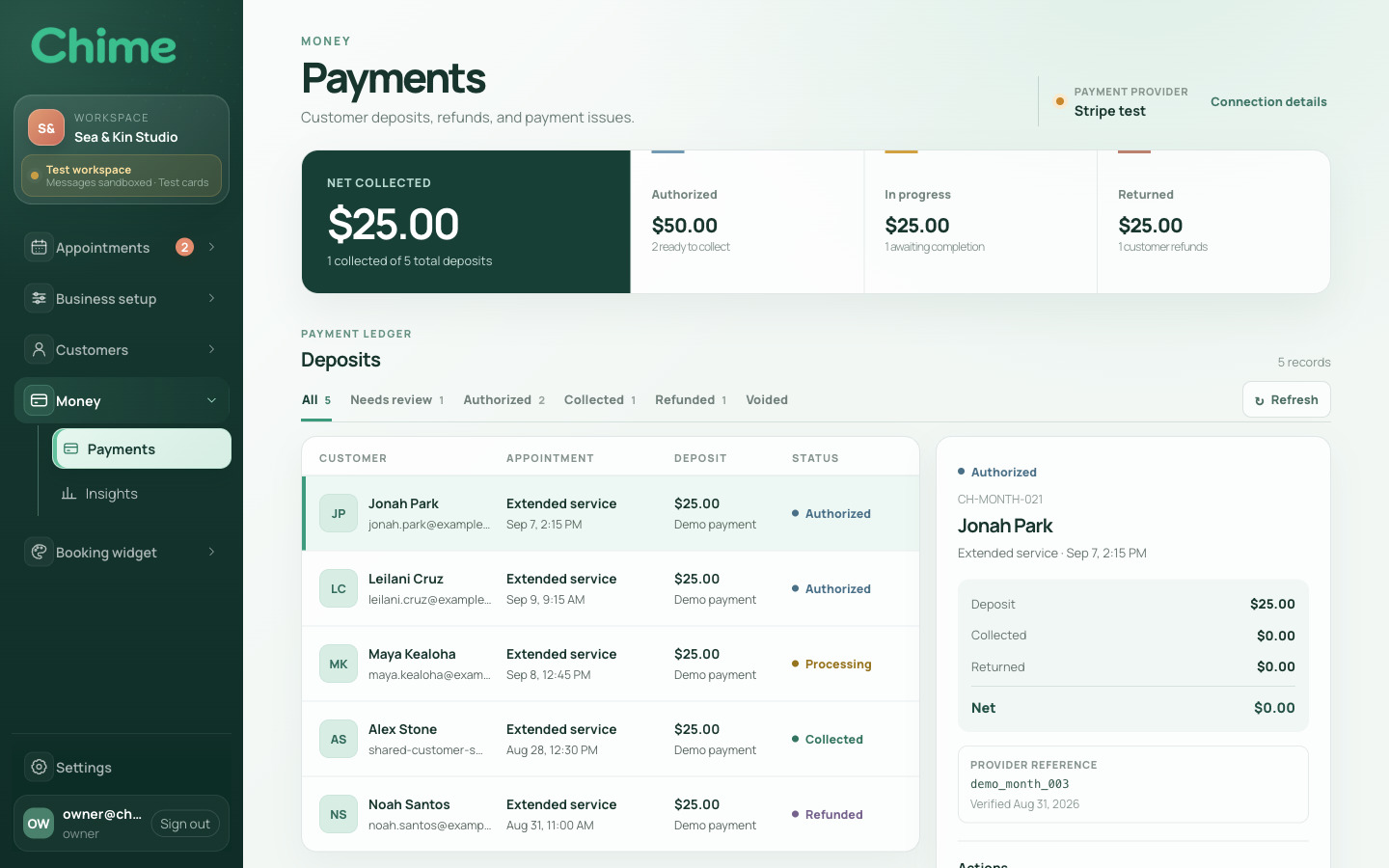
Authorization places a hold; capture collects it. A release cancels an uncaptured hold, while a refund returns some or all of a collected payment. Chime records these states against the appointment and routes new deposits through the business’s connected Stripe account.
The customer flow and studio have separate APIs, with both working against the same PostgreSQL database. Availability, business ownership, and payment state need to remain consistent whichever interface a person uses, including when several people act at once.
When a customer books, the server locks the availability row, rechecks capacity and notice requirements, and saves the booking in a database transaction. Competing requests wait while that slot is updated.
A move that requires approval remains pending while the original appointment stays in place. Chime checks availability again when the customer accepts, before applying the new time.
Requests carry the business identity and check the operator’s current access. Database relationships also include business ownership, keeping related appointments, customers, and payments within the same business.
Payment actions use an idempotency key to identify a repeated request and a version check to detect an outdated record. A retry can refer to the original action instead of becoming a new payment instruction.
I designed and built the booking experience, business studio, and the services behind them. That work includes the visual identity, interface writing, data model, APIs, payment integration, and operating tools. Working across those parts let me make the labels, messages, and system behavior describe the same decisions.
React and TypeScript applications for customer booking, the business studio, customer approvals, and website embeds. Each presents the part of the appointment its reader needs to handle.
Node.js and Express APIs connect appointments with services, staff, customers, and payments. PostgreSQL constraints preserve business ownership and scheduling relationships.
Stripe Connect supports deposit collection, release, and refunds. A separate notification worker manages queued emails, retry timing, and records of sending attempts.
The repository includes checks for booking capacity, business boundaries, payment routing, and accessibility, alongside migration, backup, restore, and launch rehearsal tools.
A useful appointment system should let someone pick up where the last person left off. That is the aim behind Chime: a clear booking for the customer, and enough shared context for the team to manage what follows.