Automated Refund Draft Builder
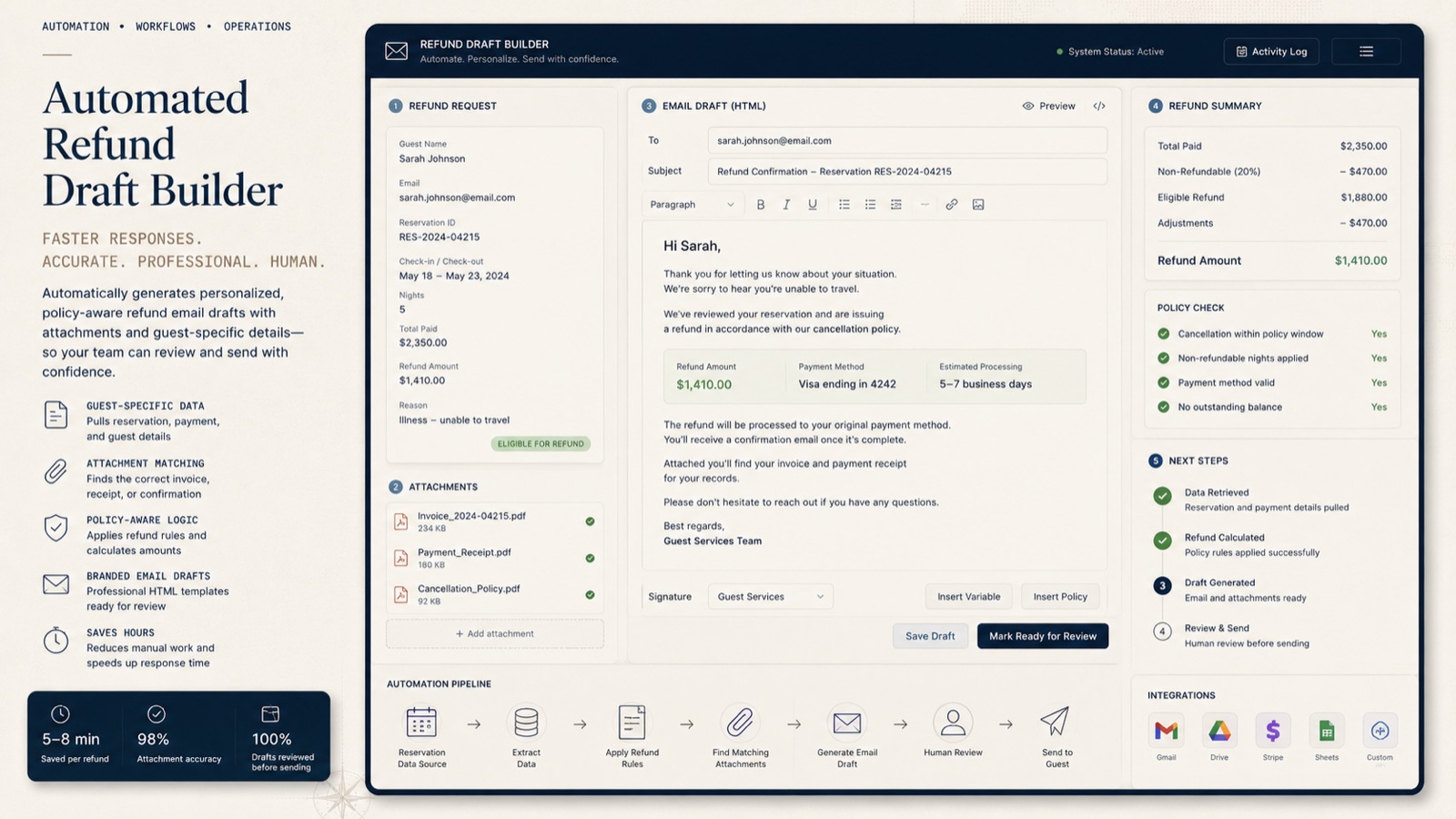
An internal Hawaii Life workflow connecting refund report ingestion, guest-specific Gmail drafts, matching receipts, and reliable storage for larger batches.
Keeping the guest and the documents together
Refund communication combines a repetitive writing task with a detail that cannot be treated casually: the message and its attachments must belong to the same guest. Preparing a batch means finding the documents, checking the recipient, composing the notice, and keeping track of what still needs review.
I built this tool for Hawaii Life’s reservations accounting work to assemble those pieces in Gmail. The output is a set of guest-specific drafts that Accounting can inspect before sending.
How a draft comes together
- Ingest the report. The source refund report supplies the records used to prepare the correspondence.
- Map the recipient. Recipient mapping connects the reservation information with the guest who should receive the notice.
- Find the attachments. A document index identifies the relevant PDFs in Google Drive. Shortcut handling resolves a Drive shortcut to its target document.
- Build the message. Google Apps Script combines the guest’s details, branded HTML, and selected attachments into a Gmail draft.
- Prepare the batch for review. Validation safeguards support the assembly process, and labels help Accounting find and review the drafts together.
Making larger batches reliable
As the workflow expanded, report storage also needed to accommodate larger batches. I added compressed, chunked storage with SHA-256 integrity checks so the system can reconstruct stored report data and check that its contents remain intact.
The storage update preserves existing reports and completed correspondence. Keeping those records separate from draft preparation helps the workflow continue without treating a successful earlier action as new work.
Review remains an explicit step
Accounting can check the addressee, wording, and attachments in the email before it goes out. The automation handles the repeated assembly work while keeping the final message available for a person to assess.
The tool’s responsibility is refund communication. Payment processing and approval of the refund amount remain in the accounting workflow that supplies the notice.
Explore the related reservation, insurance, and document-processing systems →